Category: RDP Security and Remote Work

Secure remote access, authorized account workflows, and practical desktop administration.

  • Windows 10 Pro on Residential RDP: Built-In Security Features You Should Be Using

    Windows 10 Pro on Residential RDP: Built-In Security Features You Should Be Using

    A secure residential RDP combines a maintained operating system, restricted remote access, malware protection, and recoverable data. Residential connectivity describes the outbound network. It does not replace Windows security controls or protect an exposed login endpoint by itself.

    Windows 10 Pro provides familiar administration tools, but configuration matters. This guide starts with checks that are unlikely to interrupt access, then moves to changes that require a backup and a recovery route. Do not apply a copied firewall or encryption script to the only machine holding your credentials and recovery instructions.

    First verify the operating system’s support status

    Standard Windows 10 Home and Pro support ended October 14, 2025. For a 2026 deployment, confirm applicable Extended Security Updates coverage or choose a supported operating system. An activated Windows installation does not, by itself, demonstrate ongoing security-update entitlement.

    Record the edition, installed updates, and person responsible for maintenance. Confirm that the browser and business applications still support the chosen OS. Complete these checks before adding production passwords, customer exports, or other sensitive files.

    1. Check Microsoft Defender rather than assuming it is healthy

    Open Windows Security and review Virus & threat protection. Check the active protection provider, protection history, and security-intelligence update status. If an organization manages these settings or uses another security product, follow its policy rather than forcing conflicting antivirus configurations.

    In an authorized PowerShell session, Get-MpComputerStatus reports Defender’s protection state and related status fields. Microsoft’s cmdlet reference documents the output. Investigate disabled services or stale definitions instead of treating the command’s successful execution as proof that the machine is secure.

    Where Defender is the intended active product, Update-MpSignature requests current definitions and Start-MpScan -ScanType QuickScan starts a quick scan. See Microsoft’s update and scan documentation. Review results and address warnings; a clean quick scan is not an exhaustive compromise assessment.

    2. Understand the remote-access path before changing ports

    Your provider may forward an external connection port to a different port inside Windows. For example, an assigned external endpoint can reach the guest’s normal RDP listener through host-side forwarding. Changing the Windows listener alone does not automatically update the provider’s forwarding rule and can disconnect you.

    LayerWhat it controlsWho must confirm it
    Provider firewall or gatewayWhich external clients can reach the serviceProvider or authorized infrastructure administrator
    Host port forwardingHow the assigned external endpoint maps to the guestProvider or host administrator
    Windows FirewallTraffic permitted at the Windows guestGuest administrator, coordinated with the provider
    RDP authenticationWhich Windows accounts may establish a sessionGuest administrator
    Residential outbound routingThe route applications use to reach websitesProvider or authorized network administrator

    Keep Windows Firewall enabled. Prefer an approved gateway or VPN with MFA where supported, or a carefully maintained source-IP allowlist. Confirm the source address Windows actually sees behind a gateway or forwarding layer before applying a guest allowlist. Test a new connection while a recovery console remains available; do not remove the working access path first.

    A different port number is not a substitute for authorization. Keep Network Level Authentication enabled; Microsoft recommends NLA to authenticate before the remote session is established. NLA is not MFA, and MFA on the billing website does not automatically protect Windows sign-in.

    3. Plan BitLocker recovery before enabling encryption

    BitLocker protects encrypted volumes against offline access. Its usefulness depends on the hosting platform, boot configuration, and recovery-key handling. Read Microsoft’s BitLocker guidance and confirm provider support before changing the system volume.

    1. Create an approved backup and confirm that it can be restored independently of this Windows login.
    2. Confirm TPM or virtual-TPM support, the intended unlock method, and access to a recovery console.
    3. Store the recovery key in an approved external vault accessible to the authorized owner. Do not keep the only copy on the volume being encrypted.
    4. Use the Windows BitLocker management workflow with the agreed settings, then schedule and verify any required restart through the recovery-capable access path.

    Do not enable a preboot interaction that nobody can complete remotely. Disk encryption also does not make an unlocked, running hosted desktop inaccessible to every privileged administrator. Protecting stored disks and trusting the live hosting environment are different security questions.

    4. Reduce everyday privileges and unnecessary data paths

    Use a standard account for routine work and a separate administrator identity for maintenance. Review who belongs to remote-access and administrator groups. Disable drive, printer, clipboard, or device redirection when the task does not require it. Keep recovery codes outside the desktop and use an approved password manager rather than plaintext notes.

    Test offboarding as well as onboarding: a departing operator’s application permissions and Windows access should both be revocable. Keep a record of material changes, backup checks, and unexpected sign-ins. Our remote-work security guide explains the broader operating process.

    Arrange evaluation before purchase: ClovRDP’s refund policy excludes Cheap Residential. Eligible requests have a 12-hour deadline and 100 MB usage limit; provided Windows installation charges are non-refundable and issue review applies. Confirm how the Residential/Premium delivery-time IP provision interacts with these exclusions. A full security pilot is not an unrestricted money-back trial.

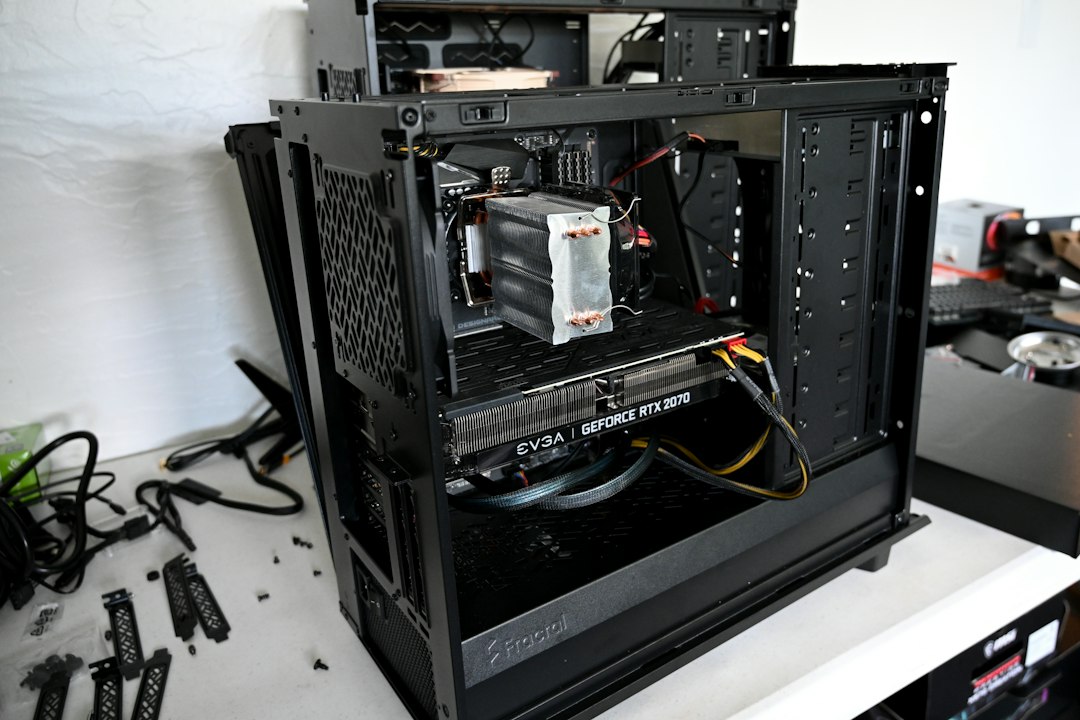
    Illustrative hardware photograph by Nathan Anderson on Unsplash; not a specification of supplied ClovRDP hardware.

    Choose a workspace you can secure and recover. Review ClovRDP Windows configurations, confirm update and console support, and agree the access design before adding sensitive work.


  • Managing eBay and Amazon Stores with a Residential RDP: Beyond Stealth Claims

    Managing eBay and Amazon Stores with a Residential RDP: Beyond Stealth Claims

    A residential RDP is a remotely controlled desktop whose applications use residential outbound connectivity. For e-commerce teams, its practical value is an organized workspace for authorized store operations—not an invisible identity or a way around marketplace enforcement. It can keep your tools, reports, and approved workflows together while separating business work from a personal computer.

    Searches for stealth eBay or Amazon stores often mix two different goals: separating legitimate businesses and concealing accounts that would not otherwise be allowed. This guide addresses the first. A reliable store operation needs accurate business information, compliant selling practices, secure access, and recoverable records. An IP address cannot replace those foundations.

    What marketplace policies actually allow

    eBay’s multiple-accounts policy allows more than one account for legitimate purposes, while prohibiting accounts used to avoid restrictions, limits, or policy consequences. A separate desktop does not change that obligation. When a restriction appears, use the official review or appeal process instead of creating a replacement identity.

    Amazon staff guidance explains that sellers with a legitimate business need can operate multiple selling accounts, and recommends doing so only while existing accounts are in good standing. A more recent Amazon staff response about separately operated brands also emphasizes that each account still undergoes normal verification. Check the current policy for your marketplace in Seller Central before opening another account.

    The underlying business arrangement should be accurate and supportable. Do not assume a new network connection authorizes a new seller account, changes the registered business location, or removes a requirement to disclose ownership. For a specific account problem, the marketplace’s own notice and support process take priority over hosting advice.

    Why unusual logins are not just an IP problem

    Security systems can consider several signals together. Microsoft’s documented identity-risk examples include unfamiliar sign-in properties and unusual travel. That is a useful illustration of layered account security, not evidence of the private algorithms used by eBay or Amazon.

    A residential exit may provide the network context required for an approved regional workflow, but it cannot guarantee that a marketplace will accept a login. Similarly, a datacenter address is not proof of abuse. Verification requests should be investigated and completed legitimately, not treated as a problem to solve by repeatedly switching addresses.

    Where a Windows residential RDP helps

    Store taskUseful workspace benefitImportant boundary
    Inventory and listing updatesKeep approved browser sessions and working spreadsheets togetherAccurate listings and seller permissions remain your responsibility
    Customer-service administrationUse a defined business environment rather than a personal deviceLimit access to customer data and retain only what is necessary
    Supplier and fulfillment coordinationMaintain organized documents and compatible desktop toolsHosting does not authorize a prohibited fulfillment arrangement
    Several legitimate brandsSeparate project files and reduce wrong-account mistakesWorkspace separation does not conceal or change business ownership
    Authorized regional testingCheck a permitted workflow from a documented network locationA network country is not a substitute for seller eligibility

    A full Windows 10 Pro configuration can bring browser administration, downloads, reports, and compatible office tools into one desktop. Confirm each application’s current OS support, software license, and resource requirements. Not every e-commerce workflow needs a large machine; busy dashboards and large spreadsheets should be sized according to their actual load.

    Build a compliant store-management workspace

    1. Record the business and access permissions

    Document which business owns each store, who is authorized to work on it, and who handles account recovery. Use the marketplace’s supported delegated-access tools where available. Avoid sharing the owner’s primary credentials with every employee or contractor. Keep sensitive verification records in approved storage, not in a broadly shared downloads folder.

    2. Confirm both network addresses

    The address entered into your RDP client may differ from the outbound residential address seen by websites. Ask the provider about the exit country, sharing arrangement, address persistence, and maintenance behavior. Several separately allocated desktops can still use a shared public exit; do not infer an exclusive address from the word dedicated when it describes CPU or RAM.

    3. Secure the desktop before adding store sessions

    Change initial credentials, enable appropriate access restrictions, keep Network Level Authentication enabled, and use an approved gateway with MFA where supported. Disable unnecessary drive and clipboard redirection. Verify unexpected certificate changes with the provider rather than permanently ignoring trust warnings. Keep account recovery options independent of the rented desktop.

    4. Label work clearly and preserve records

    Name folders and approved browser profiles after the actual business or project. Separate inventory files and accounting exports so a team member cannot easily upload the wrong document. Browser profiles help prevent session mix-ups but are not a strong defense against a compromised operating system or a privileged administrator.

    5. Plan verification and interruption procedures

    Record provider maintenance and significant account-access changes. If a marketplace requests verification, preserve the notice, involve the account owner, and follow the official instructions. Keep an authorized fallback workflow for urgent customer-service tasks. Do not use a provider outage as a reason to bypass account restrictions.

    A necessary Windows 10 Pro check in 2026

    Windows 10 standard support ended on October 14, 2025. Before using a Windows 10 Pro workspace for customer or seller data, verify applicable Extended Security Updates coverage or choose a supported OS. An installed edition and an activated copy are not by themselves proof of current security-update entitlement.

    Choosing a ClovRDP plan for store operations

    Compare Cheap Residential RDP for lighter workloads compatible with its shared IP, and Premium Residential for requirements that match its stated ISP offering. Confirm the selected Windows 10 Pro configuration, total charges, resources, and delivery expectations before checkout.

    Read the refund policy carefully: Cheap Residential is excluded from refunds and replacements. Eligible requests must be submitted within 12 hours of delivery and are excluded above 100 MB usage; provided Windows installation charges are non-refundable, and issue review applies. The Residential and Premium delivery-time VPN/proxy-detection guarantee must be read alongside those conditions. It is not insurance against marketplace restrictions or a blanket risk-free test.

    Hero photograph: Myriam Jessier on Unsplash. Illustrative business analytics, not an eBay or Amazon account screenshot.

    Give your legitimate store operations a clearer workspace. Explore ClovRDP residential plans, confirm the configuration your business needs, and review the applicable refund conditions before ordering.

  • How to Safely Manage Multiple Social Media & Ad Accounts Using Residential RDPs

    How to Safely Manage Multiple Social Media & Ad Accounts Using Residential RDPs

    A residential RDP can give an authorized marketing team a consistent Windows workspace with residential outbound connectivity. It cannot make accounts invisible, bypass verification, or guarantee protection from bans. The useful objective is a repeatable, auditable workflow that keeps client assets and permissions organized.

    Managing several brands becomes risky when staff share passwords, save client files in the wrong folder, or approve changes from the wrong browser session. A thoughtfully managed remote desktop can address those operational problems. Its value comes from the combination of a familiar working environment, deliberate access controls, and documented network configuration.

    Why unfamiliar connections can prompt account checks

    An IP address is only one part of an account’s security context. Microsoft’s published identity-risk documentation includes anonymous IPs, unusual travel, and unfamiliar sign-in properties. These examples explain why network context can matter, but they do not establish how any particular social-media platform scores a login.

    A datacenter address does not automatically mean an account will be banned. Likewise, a residential address does not establish that a user is authorized. New devices, stolen sessions, unusual activity, payment issues, and policy breaches are distinct concerns. Avoid providers that promise an IP alone will solve them all.

    Consistency, not concealment: keep a documented work environment for legitimate client activity. Do not create replacement accounts to evade enforcement or misrepresent who owns a business.

    Start with official business access

    Before renting desktops, establish who owns each account and what your agency is authorized to do. Use the platform’s supported business or partner-access features rather than distributing the owner’s personal password. For example, Google Ads manager accounts support managing linked client accounts and assigning different access levels.

    The residential RDP sits underneath that permission model. It is where an authorized team member works, not a replacement for the client’s invitation or for the platform’s rules. Keep a client approval record, name a recovery contact, and record who can change billing or add other users.

    Choose the right separation boundary

    ControlWhat it helps withWhat it does not guarantee
    Official account rolesAuthorized access and revocationA secure endpoint by themselves
    Separate browser profilesReducing cookie and session mix-upsA strong security boundary against local administrators or malware
    Separate Windows workspacesSeparating client files, tools, and operating proceduresDifferent public outbound IPs unless specified
    Residential outbound routingA documented residential network contextAccount approval, anonymity, or exemption from verification
    MFA and recovery controlsReducing reliance on a password aloneProtection against every session-theft or phishing scenario

    For clients with different confidentiality requirements, a separately administered desktop can be easier to audit than a single machine containing every client session. For a small team working inside one official manager account, separate desktops for every advertising account may add cost without improving authorization. Select a boundary that addresses the actual data risk.

    Build the workflow in six steps

    1. Document the client and the permitted tasks

    Create a short record containing the client name, asset IDs, authorized staff, approval contacts, and permitted activities. Keep billing permissions separate from routine campaign editing wherever the platform allows it. A desktop should have an accountable owner, not a password passed informally between contractors.

    2. Confirm the desktop and network specifications

    Ask the provider to distinguish the RDP connection address from the outbound residential IP. Record the selected country, sharing arrangement, expected persistence, and what happens if residential routing fails. Do not assume several desktops receive different public addresses. For a location-dependent project, obtain permission for that location before working there.

    3. Secure remote access before adding credentials

    Use named accounts, strong unique passwords, and an approved access gateway with MFA where available. Keep Network Level Authentication enabled; Microsoft recommends NLA because it authenticates users before establishing the remote session. NLA itself is not MFA. Restrict unnecessary device, drive, and clipboard redirection.

    4. Organize tools without falsifying identity

    Name workspaces and browser profiles after the real client or project. Use approved password storage and keep recovery codes outside the desktop in an organizational vault. Do not synchronize every client’s saved passwords into a personal browser account. Use accurate account and business details rather than attempting to disguise common ownership.

    5. Keep a change and incident log

    Record significant access changes, desktop replacements, outbound-IP changes, and account warnings. When a platform requests verification, stop and follow its official process. Preserve the warning and relevant timestamps, notify the client, and investigate the actual cause instead of repeatedly changing networks or creating another account.

    6. Offboard completely

    Remove the departing person’s platform permissions and desktop access, revoke active sessions where supported, and rotate shared secrets that cannot be individually revoked. Confirm retention and deletion of exported client data. Cancelling the RDP subscription alone does not revoke access granted directly on an advertising platform.

    Why Windows 10 Pro can fit the workflow

    A configured Windows 10 Pro desktop brings browser work, spreadsheet analysis, screenshots, and compatible client tools together. That familiarity can simplify an agency’s operating procedure. It still needs a security lifecycle: standard support ended October 14, 2025, so verify applicable ESU coverage or use a supported OS. Check software compatibility separately.

    Selecting a ClovRDP tier without overbuying

    Compare ClovRDP’s budget range for lighter workloads with Premium Residential for requirements matching its documented ISP offering. Select enough desktop resources for your actual dashboards and exports. Confirm Windows 10 Pro configuration and charges; the advertised starting price is not automatically the total for every option.

    Before ordering, read the refund policy. Cheap Residential has no refund or replacement eligibility. Eligible services have a 12-hour request window, a 100 MB usage limit, issue review, and non-refundable provided Windows installation charges. Residential and Premium Residential also have a delivery-time VPN/proxy-detection provision; confirm how it interacts with those conditions. Do not treat it as protection against a social platform’s later decisions.

    Can one residential RDP safely hold several accounts?

    It can be appropriate for accounts you are authorized to manage, provided platform rules, access roles, and data-separation requirements are satisfied. There is no universal rule requiring one IP per account, and there is no universal residential-IP exemption from enforcement. Document the arrangement instead of relying on a stealth claim.

    Hero photograph: Carlos Muza on Unsplash. Illustrative analytics workspace.

    Give your authorized client work a dedicated place. Explore ClovRDP Premium Residential, confirm the required Windows and network configuration, and review eligibility and exclusions before ordering.

  • Securing Your Remote Workforce with Windows 10 Pro Residential RDPs

    Securing Your Remote Workforce with Windows 10 Pro Residential RDPs

    A secure residential RDP workspace requires a supported, patched operating system, controlled remote access, appropriate user permissions, and a tested recovery process. A residential IP describes the outbound network; it does not secure the computer. For Windows 10 Pro in 2026, verifying security-update coverage is the first step, not an optional finishing touch.

    Windows 10 lifecycle notice: standard Windows 10 Home and Pro support ended October 14, 2025. Confirm applicable Extended Security Updates eligibility and enrollment, or choose a supported operating system before handling sensitive work. See Microsoft’s lifecycle record and ESU guidance.

    A full Windows workspace can still be valuable where compatible desktop software and familiar operating procedures matter. Centralizing the environment can make onboarding and handoffs more consistent. Those benefits depend on configuration and management; moving work off a laptop does not automatically make it private, backed up, or resistant to compromise.

    Understand what you are securing

    There are at least three separate boundaries: the employee’s device, the connection into the remote desktop, and the desktop’s connection to websites and business systems. Residential routing mainly affects the last boundary. A compromised employee device can still expose credentials or capture a screen, while an exposed remote-access endpoint can receive unwanted connection attempts regardless of its outbound IP.

    Ask who administers the underlying host, how provider access is controlled, where data is stored, and what backups are actually included. Treat the provider as part of the trust model. Disk encryption does not make an actively running hosted desktop inaccessible to every privileged operator.

    Windows controls: benefits and limits

    ControlUseful roleDeployment check
    Network Level AuthenticationAuthenticate before establishing the remote sessionKeep enabled; NLA is not multi-factor authentication
    Windows FirewallRestrict traffic to explicitly permitted access pathsPreserve management access and test allowlist changes safely
    Standard user accountsReduce everyday exposure to administrator privilegesUse a separate administrator identity for maintenance
    Endpoint protectionMonitor and block supported malware threatsVerify health, update status, and the organization’s response process
    BitLockerProtect encrypted volumes against offline accessConfirm platform support, boot behavior, recovery-key custody, and restore procedures
    Security updatesAddress covered vulnerabilitiesFor Windows 10 in 2026, verify the applicable ESU arrangement

    Microsoft’s Remote Desktop guidance recommends NLA. Its BitLocker documentation explains disk-encryption requirements and recovery considerations. Controls must be selected for the actual hosted environment rather than enabled blindly from a generic checklist.

    Protect the remote-access entry point

    Prefer an organization-approved gateway, VPN, or other restricted access path with MFA where supported. When an IP allowlist is appropriate, limit access to approved source addresses and the provider-specified endpoint and port. Plan an out-of-band recovery route before tightening rules, so an address change does not lock out the administrator.

    Changing the port number alone is not an access-control strategy. Do not disable NLA, certificate checks, the firewall, or endpoint protection to make a connection appear easier or faster. Verify the expected server identity with the provider when a trust warning appears. An MFA-protected billing panel also does not automatically mean the Windows RDP login has MFA.

    Make user access individual and revocable

    Assign a named business owner to every workspace. Use unique credentials and least-privilege application roles. Separate routine work from administrative maintenance, and record who is permitted to install software, export data, or change recovery settings. Avoid a single shared administrator password used by an entire department.

    Confirm operating-system hosting and remote-access rights for your deployment. Do not assume that purchasing one Windows 10 Pro desktop provides a licensed multi-user session host. Size and license the actual workforce arrangement rather than modifying Windows to bypass session limitations.

    Control where business data can go

    Allow drive, printer, USB, audio, and clipboard redirection only when the task requires them. For sensitive work, reducing unnecessary redirection can make the data path easier to understand. Store passwords and recovery codes in an approved vault instead of text files on the desktop. Apply a retention policy to downloaded reports and temporary exports.

    Keep an independent backup appropriate to the data’s value and test a restore. A provider snapshot is not automatically an independent backup, and a synchronized folder can propagate accidental deletion. Document the recovery steps and the people authorized to request provider assistance.

    Use a repeatable onboarding and offboarding checklist

    • Before access: verify the ordered resources, Windows edition, applicable updates, network configuration, and recovery contact.
    • At onboarding: issue individual access, document permitted applications, enable appropriate MFA, and demonstrate the approved connection method.
    • During operation: review patch and protection health, investigate unexpected sign-ins, check backup results, and record material configuration changes.
    • At offboarding: revoke desktop and application access, end sessions where supported, rotate shared secrets, and preserve or remove business files according to policy.

    Test the checklist with a pilot workspace before expanding the rollout. Confirm that a new employee can work without administrator access and that a departing employee’s access can be removed without disrupting everyone else. Those operational checks are more useful than simply counting installed security products.

    Scale the configuration, not the assumptions

    ClovRDP’s budget residential range may fit light workloads that accept its shared-IP arrangement. Its premium range should be evaluated against specific ISP and workload requirements. Neither tier label establishes dedicated outbound addressing, a measured uptime commitment, backups, or a complete managed-security service.

    For each role, measure the applications used, simultaneous browser load, storage needs, and acceptable response time. Choose the least expensive configuration that meets those requirements and the organization’s security standards. Confirm Windows configuration, installation charges, and update entitlement in the final quote. Do not reduce essential controls simply to reach a lower starting price.

    Plan the evaluation before purchase

    ClovRDP’s published refund policy excludes Cheap Residential from refunds and replacements. Eligible requests have a 12-hour deadline, a 100 MB usage limit, issue review, and non-refundable provided Windows installation charges. Its Residential and Premium delivery-time IP-detection provision should be confirmed alongside those exclusions. An extended security pilot is not automatically covered by these terms.

    Hero photograph: Aliv Pandu on Unsplash. Illustrative office environment.

    Build a remote workspace your team can operate confidently. Compare ClovRDP Windows configurations, verify support and access requirements, and review the applicable commercial terms before your rollout.