
Category: Premium Residential RDP

Premium residential remote desktop guides covering IP reputation, performance, and authorized professional workflows.

  • Why You Should Never Buy a Residential RDP Without a Refund Policy

    Why You Should Never Buy a Residential RDP Without a Refund Policy

    A residential RDP refund policy is the written explanation of when a provider will return money for a delivered service, which charges are excluded, and how a customer must make a claim. A refund badge is not enough. Before buying an unfamiliar remote desktop, understand the policy and decide whether its protection is sufficient for your purchase.

    The title makes a practical point: do not purchase blind. A clearly disclosed non-refundable budget service is different from a seller promising a risk-free trial and revealing exclusions afterward. If an eligible refund is essential to you, do not buy a product whose written terms rule one out, however attractive its price.

    Why residential RDP purchases need careful checking

    You are buying several things at once: computing resources, a Windows or other operating-system configuration, remote access, and an outbound network arrangement. A sales page can accurately describe one while leaving another unclear. Dedicated RAM does not establish a dedicated IP, and a desktop using a residential exit need not be physically located in a household.

    Problems to investigate include undelivered services, undisclosed shared addresses, unexpected installation charges, unsupported performance promises, and services that differ materially from the order. These are potential warning signs, not accusations against any particular provider. A dated order summary and a responsive support channel are more useful evidence than a dramatic marketing adjective.

    Five claims that deserve a closer look

    Sales claimQuestion to askEvidence worth keeping
    Genuine residential IPWhat network supplies the exit, and is traffic routed through a proxy?Written topology and delivery-time classification results
    Dedicated serviceDoes dedicated refer to CPU, RAM, desktop access, or the public IP?An itemized resource and sharing specification
    From a very low monthly priceDoes that include Windows, location, installation, and required extras?The complete first invoice and renewal amount
    Instant deliveryWhich configurations qualify, and what happens during stock or verification delays?The promised provisioning conditions for this order
    Risk-free guaranteeWhich products, charges, deadlines, and usage levels are excluded?The policy version effective when ordering

    How to assess a residential-IP claim

    Start with the outbound address seen from inside the supplied desktop, not just the address used to connect to it. Ask for the ISP or network, selected country, sharing arrangement, and expected persistence. If residential routing is used, establish which traffic it covers and what happens during an outage.

    IP classification and geolocation are evidence, not perfect proof. MaxMind explains limitations in IP geolocation accuracy; a city-level mismatch does not by itself prove fraud. Compare current results and ask the provider to explain discrepancies. Likewise, an address associated with a consumer ISP does not prove a provider obtained that connection ethically. Request confirmation of authorized sourcing.

    A fraud score also needs context: whose database produced it, when it was checked, and what the score measures. A zero at delivery is not a promise that every marketplace, bank, or advertising platform will accept the address forever.

    ClovRDP’s published refund terms, plainly explained

    ClovRDP’s published policy, effective October 2, 2026 and checked October 3, sets out the following distinctions. They should be read before ordering, not after running a large acceptance test.

    • Cheap Residential RDP: not eligible for refunds or replacements under the policy.
    • Eligible services: refund and replacement requests must be submitted within 12 hours from delivery; issue review applies.
    • Usage exclusion: eligibility ends once bandwidth or data-transfer usage exceeds 100 MB, even within the 12-hour window.
    • Windows installation: a provided Windows 10 Pro installation charge is non-refundable.
    • Specific delivery guarantee: Residential RDP and Premium Residential RDP have a stated refund provision if the supplied residential IP is detected as a VPN or proxy at delivery.

    The specific IP-detection provision uses broad refund language, while other sections specify limits and exclusions. Ask support to confirm which amounts are covered and how those sections interact for your order. This article does not interpret the broad wording as overriding the written exclusions.

    Not an unconditional trial: the published terms do not support describing every ClovRDP plan as risk-free, refundable regardless of usage, or protected by identical guarantees. Transparency means stating the actual conditions next to the offer.

    Avoid turning acceptance testing into a surprise expense

    A small transfer limit changes how a buyer should plan initial checks. Large application downloads, operating-system updates, speed tests, and interactive use can consume data. Ask how the provider measures total usage and which traffic is counted. Do not assume the Windows network counter is identical to the provider’s billing counter.

    Agree a lightweight delivery check with support before purchasing: confirm the configured edition and resources, the supplied outbound address, and any covered delivery-time issue. If a full performance trial is necessary, ask for written permission or a suitable test arrangement rather than assuming the refund policy includes one. Keep the desktop free of sensitive data until its security and configuration have been assessed.

    How to make an effective support request

    Send the service or order ID, delivery time, time the problem occurred, expected specification, and a concise description of the actual result. Attach only the minimum relevant evidence, such as a screenshot of an error or the named delivery-time IP check. Redact passwords, session cookies, private account details, and unrelated client data.

    ClovRDP lists [email protected] for refund and replacement requests. Submit within the stated deadline and retain a timestamped copy. A request is not automatically an approval; cancellation alone also does not create refund eligibility. The policy notes that payment-provider processing can affect the timing of an approved refund.

    Trust should be demonstrable, not a superlative

    A provider earns consideration by making its product definitions, costs, contacts, and limitations easy to find. There is no need to call it the most trusted provider in the market without independent comparative evidence. For ClovRDP, compare the actual budget offer and premium offer against your requirements, and keep the agreed details with your purchase records.

    Also distinguish Windows edition from ongoing support. Windows 10 standard support ended October 14, 2025; verify the applicable update arrangement before a 2026 deployment. A refund promise cannot substitute for a properly supported environment.

    The buying rule to remember

    Buy only after you understand what is delivered, what it costs, and what happens if it does not match the agreed specification. A low-cost non-refundable plan may suit an informed buyer; it is not the right choice for someone who requires a refundable trial.

    Hero photograph: Campaign Creators on Unsplash. Illustrative business workspace.

    Choose with the terms in front of you. Review ClovRDP Residential RDP or Premium Residential, then confirm eligibility under the published refund policy before checkout.
  • Cheapest vs. Premium Residential RDPs: Which Should You Choose?

    Cheapest vs. Premium Residential RDPs: Which Should You Choose?

    Choose a budget residential RDP when its shared-IP arrangement, resources, and purchase conditions fit a lightweight workload. Choose a premium plan when its documented connectivity characteristics or an appropriately sized configuration solve a real business requirement. Paying more does not automatically make typing faster, and paying less does not automatically make a service unreliable.

    A residential RDP combines a remotely controlled computer with residential outbound connectivity. The useful comparison is not simply cheap versus expensive: it is usable desktop, appropriate network, and acceptable terms versus the total price you actually pay.

    Budget vs. premium: the practical comparison

    Decision factorBudget planPremium plan
    Typical fitLight administration, occasional browsing, simple regional checksWorkflows needing the specified premium ISP offering or a higher-resource configuration
    Browser workloadA modest set of tabs and basic documents, subject to allocated RAMHeavier dashboards and parallel tools when sufficient RAM and CPU are selected
    Windows desktopA full desktop when ordered with Windows 10 Pro; verify inclusion and chargesA full desktop when ordered with Windows 10 Pro; verify inclusion and charges
    IP sharingClovRDP Cheap Residential explicitly uses a shared residential IPConfirm exclusivity, persistence, and routing; premium alone does not establish these
    Published IP positioningLow-cost shared residential connectivityClovRDP describes selected-country ISP sourcing and delivery-time IP assessment
    Refunds and replacementsClovRDP Cheap Residential is excludedEligible requests are conditional; see the 12-hour, 100 MB, and installation exclusions
    Upgrade justificationStay here while the workload meets your acceptance criteriaUpgrade for a verified improvement, not a label or an assumed ban-proof IP

    ClovRDP-specific descriptions in this comparison come from its Cheap Residential, Premium Residential, and refund-policy pages, checked October 3, 2026. The workload examples are buying guidance, not benchmarks or guaranteed capacities.

    What the cheapest plan is actually good for

    A small business owner who checks a supplier portal, updates a document, and reviews a localized landing page may not benefit from a large desktop. When tasks are infrequent, predictable, and tolerant of the documented network arrangement, a budget plan can keep recurring spending under control.

    ClovRDP advertises Cheap Residential RDP from $10.99, with a shared residential IP and dedicated allocated CPU, RAM, and NVMe resources. The shared address is a meaningful tradeoff: a separately allocated desktop does not imply that websites see a uniquely assigned outbound address. Ask what happens during reconnects and maintenance rather than assuming an address will never change.

    The budget tier is a stronger fit when you already understand your application requirements. It is a weaker fit when refund eligibility is a condition of purchase, because ClovRDP’s Cheap Residential product is explicitly outside that policy. A low headline price should not distract from an exclusion that matters to your business.

    When paying for premium can make sense

    The required network context is specific

    A testing project may require a particular country and ISP context, rather than simply any residential exit. Premium becomes relevant when the provider can confirm that requirement in writing. Ask for the actual country, ISP-assessment method, whether the address is shared, and how changes are handled. Delivery-time reputation measurements are observations, not permanent guarantees of access to third-party services.

    The workload needs more usable resources

    Busy dashboards, exports, and several desktop applications can compete for memory and processing time. Select a resource configuration that accommodates the workload. A premium IP attached to an undersized desktop will not cure memory pressure; extra RAM will not repair a poor network route. Diagnose the constraint before selecting the upgrade.

    The commercial conditions are more suitable

    Refund eligibility, escalation procedures, and documented delivery checks can matter more than a small recurring price difference. Compare the written terms, not only a sales headline. Do not infer a service-level agreement, dedicated IP, instant setup, or higher support priority unless your selected offer explicitly provides it.

    Windows 10 Pro: the same type of workspace, not necessarily the same quote

    When configured with Windows 10 Pro, either tier can provide the familiar desktop workflow: browsers, local files, compatible tools, and separate administrative and everyday accounts. Compare the Windows configuration explicitly. A product’s lowest advertised price should not be presented as a complete Windows 10 Pro price without checking the order summary.

    Windows 10 Pro’s standard support ended October 14, 2025. Confirm applicable ESU coverage for a 2026 deployment, plus application compatibility and hosting rights. Activation, remote-access rights, and security-update entitlement are different questions.

    Compare total cost, not the smallest number on the page

    • Record the actual recurring amount for your country, resource selection, operating system, and billing term.
    • Separate installation charges from recurring charges, and identify which amounts are non-refundable.
    • Confirm any taxes, payment charges, bandwidth conditions, backup costs, or optional GPU charges before checkout.
    • Include the time your team spends waiting, troubleshooting, or repeating failed tasks.

    Here is an illustrative calculation, not a ClovRDP price quote: an upgrade costing $12 more per month breaks even at one hour saved if your working time is valued at $12 per hour. That does not prove the upgrade saves an hour. Measure an identical task on each configuration and use the result, rather than assuming a return on investment.

    The refund comparison cannot be skipped

    Different tiers do not have identical protection. ClovRDP’s current policy excludes Cheap Residential RDP from refunds and replacements. Eligible services have a 12-hour request deadline and lose eligibility above 100 MB usage; provided Windows 10 Pro installation charges are non-refundable. Issue review applies.

    The policy also describes a VPN/proxy-detection-at-delivery guarantee for Residential and Premium Residential services. Confirm how that provision interacts with installation and usage exclusions. The published wording does not support advertising every tier as an unconditional risk-free trial or claiming the industry’s best refund policy without comparative evidence.

    A three-question buying decision

    Does the budget configuration meet the workload? If yes, do not buy unused capacity. Does its IP arrangement meet the requirement? If not, compare a documented alternative. Can you accept its commercial terms? If refunds matter, eliminate an excluded product before comparing prices.

    For substantial performance testing, agree the process with support first: speed tests, updates, and ordinary desktop traffic may consume an acceptance allowance quickly. Do not disable security updates to preserve a refund limit; arrange testing before placing sensitive data on the machine.

    Which tier should a new buyer choose?

    Choose the lowest-priced plan that satisfies all three requirements: workload, connectivity, and terms. For some buyers that is Cheap Residential. For others, Residential or Premium Residential is more appropriate. None of these labels substitutes for written specifications or a test aligned with your actual work.

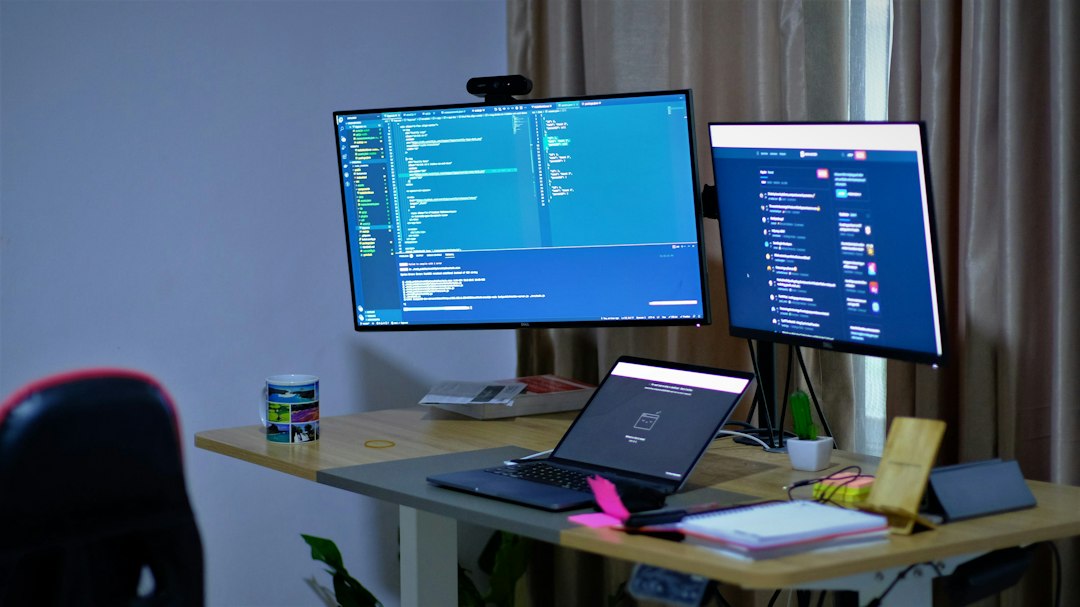
    Hero photograph: Dennis Irorere on Unsplash. Illustrative workspace.

    Build your shortlist with ClovRDP. Compare budget and premium residential plans, request a complete Windows quote, and read the tier-specific refund terms before committing.

  • Premium Residential RDP: 7 Checks Before You Buy

    Premium residential RDP deserves a detailed review when your work depends on the remote environment. The useful questions concern residential routing, IP evidence, application performance, operational support, and the terms attached to the service.

    ClovRDP’s Premium Residential product advertises country-specific ISP sourcing and a 0 fraud score at delivery. Those details provide a starting point for evaluation. Ask for the evidence and service conditions relevant to your workload before making a purchasing decision.

    This premium residential RDP buying guide organizes that evaluation into seven checks. It is suitable for professionals assessing remote work, authorized advertising checks, permitted data collection, and other demanding desktop workflows.

    Verify residential routing and delivery-time IP evidence

    1. Confirm the delivered network arrangement

    Ask which address you will use to connect to the desktop, which address your applications will present to external services, and where the residential connection exits. Request the delivered ISP information and clarify how that information will be verified.

    Establish the allocation model as well. Ask whether the outbound address is exclusive or shared, how long it is expected to remain assigned, and how replacements or network interruptions are handled. Treat these as separate questions during the buying discussion.

    For an application with strict connectivity requirements, describe those requirements in writing. Include whether it supports an application-level proxy, requires system-wide routing, or depends on a consistent outbound address. The provider’s response should identify what its configuration supports.

    Record the answers against the exact service you order. This gives both sides an agreed reference when the desktop is delivered.

    2. Interpret the delivery-time reputation result

    A useful reputation report identifies the checked address, the checking service, the timestamp, and the relevant settings. Request those details when evaluating a zero-score claim. They make the result understandable and repeatable.

    IPQualityScore illustrates why the full report matters: its response documentation defines separate fields for fraud score, connection type, proxy and VPN classification, recent abuse, and shared connections. Its fraud score can also incorporate supplied information such as user agent and language.

    Interpret a delivery-time score within that documented context. Ask how a disputed result is handled and which checking method applies to the service’s guarantee. Keep any agreed testing conditions with the order record.

    For ongoing work, decide when reputation should be reviewed again and who will respond to a relevant change. This turns IP-quality screening into an operating procedure with a clear owner.

    Test desktop performance, stability, and operational fit

    3. Evaluate the session using your actual applications

    Begin with a small, representative evaluation approved by the provider. Use the same type of local connection, screen arrangement, and applications that your ordinary work requires.

    Assess typing responsiveness, scrolling, application switching, page loading, and any required file transfers. Record the time of the test and the working conditions. Repeat the same tasks during another relevant time period when the available evaluation arrangement permits it.

    Microsoft’s RDP guidance explains that bandwidth demand varies with workload and display activity. A text-focused session and a session involving frequent visual updates can place different demands on the connection. Use a test that resembles your own work when judging the result.

    Also separate the observations you collect. A delayed desktop response, a slow target website, and a resource-heavy application deserve their own investigation. Giving support a clear description of the affected activity helps narrow the problem.

    4. Check resource capacity and application compatibility

    List the applications, versions, and simultaneous processes you intend to run. Include any graphics requirements, storage needs, and background jobs. Ask the provider to assess the whole working session.

    For browser-based tasks, specify whether you plan to operate one interactive session or several concurrent browser processes. For permitted data collection, document the intended collection rate, scheduling, and transfer requirements. Agree on the supported workload before introducing it.

    Use any available evaluation to observe resource use during a realistic session. Record CPU activity, memory pressure, free disk space, and the behavior of your main application. Keep the results tied to the configuration tested.

    Graphics-dependent software needs a specific compatibility answer. Ask about the GPU allocation, installed driver, supported graphics features, and licensing requirements. Request confirmation for the application you intend to use before paying for graphics capacity.

    5. Define availability, security, and support expectations

    A requirement for guaranteed uptime should lead to a written service-level discussion. Ask what availability is measured, how interruptions are recorded, which exclusions apply, and what remedy is available when the commitment is missed.

    Consider the complete workflow during that discussion. The desktop may be reachable while its residential connection is unavailable, or a running application may need attention after a reboot. Establish which parts of the service are covered and who handles recovery.

    For illustration, a 99.9% availability target across a 30-day month permits 43.2 minutes of unavailability within that measurement period. The actual agreement must specify its own calculation, coverage, and exclusions. This calculation is an example for evaluating an SLA.

    Security requirements should be equally explicit. Confirm the account-management process, update responsibilities, and supported authentication controls. Microsoft recommends Network Level Authentication for most Remote Desktop environments because it requires authentication before the session is established.

    For corporate use, obtain the organization’s approval before introducing the environment. Ask its IT team to define requirements for endpoint management, approved applications, data handling, and recovery. Establish a named support channel and an escalation process for interruptions that affect your work.

    Review pricing, refund terms, and your ordering decision

    6. Price the configuration you intend to use

    ClovRDP’s published Premium Residential Starter currently begins at $27.99 per month. The product page displays Windows 10 Pro and GPU as separate $20 monthly options. Selecting both produces a displayed Starter amount of $67.99 per month, before other applicable checkout charges. Review the current Premium Residential configurations when making your comparison.

    Use the intended configuration when comparing offers. Record the operating system, resource tier, country, required add-ons, renewal period, and any transfer conditions. Ask whether a future upgrade affects the address, service configuration, or application installation.

    Check software licensing and security-update arrangements alongside the hardware specifications. Microsoft’s published lifecycle information places Windows 10 Home and Pro standard support ending on October 14, 2025. Establish how any proposed Windows 10 installation receives applicable security updates.

    Keep the final checkout details with your technical requirements. They form a useful purchasing record when the service is delivered.

    7. Review delivery testing and refund conditions

    ClovRDP publishes a delivery-time VPN/proxy-detection refund guarantee for Residential RDP and Premium Residential RDP. Its refund policy also describes a 12-hour request window, an exclusion for Windows 10 Pro installation charges, and a 100 MB data-transfer threshold for standard refund and replacement eligibility. Review the complete policy and clarify how these provisions apply to your intended evaluation.

    Plan the evaluation before starting substantial transfers. Ask for a provider-supplied performance report or an agreed testing allowance when your checks would involve significant downloads. Give the initial configuration and IP checks priority, and keep your order reference available.

    The published screening promise should also be operationally clear. Establish how to report a delivery-time classification problem, which information support needs, and how the applicable checking method is identified.

    Your intended use belongs in the final review. Corporate access should follow the employer’s requirements. Advertising verification should use an approved testing process. Data collection and retailer workflows should operate within the relevant permissions, software licences, and platform rules.

    A useful purchase decision leaves you with a defined configuration, documented network expectations, a workable support arrangement, and an understood policy. Those details give you a practical basis for deciding whether the service suits your work.

    Explore ClovRDP’s Premium Residential configurations and select the country and resources your workflow requires. Send your application, connectivity, and availability requirements to [email protected] before ordering so the delivered configuration can be checked against a clear specification.